Google Ads for Contractors: Setup Order and the Math
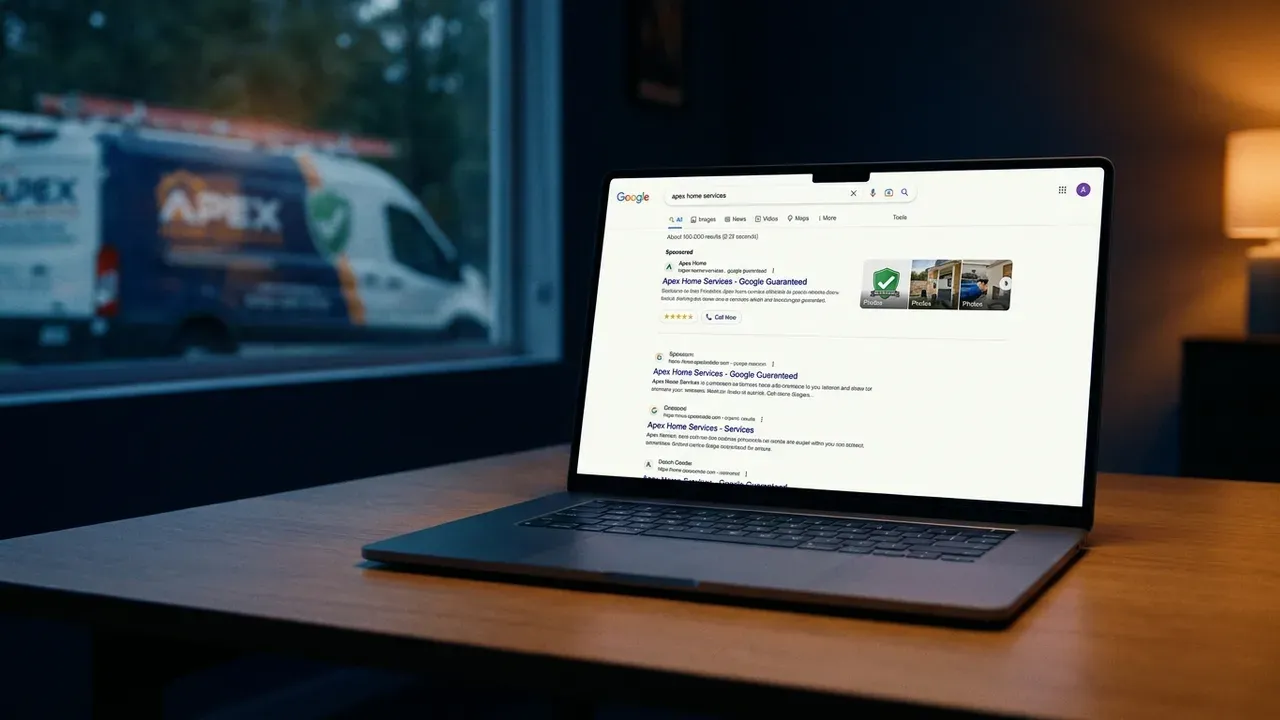
Google Ads is the one marketing channel a contractor can turn on this week and see calls from. It’s also the easiest place to lose money quietly. This guide goes in the order we’d actually set things up, starting with the math that tells you whether ads can work for you at all.
Step 0: know your break-even cost per job
Before you spend a dollar, work out the most you can afford to pay to win one job. You need three numbers from your own books:
- Average gross profit per job for the service you want to advertise.
- Close rate: of the leads you quote, how many become jobs.
- The share of profit you’re willing to spend to acquire a customer.
Here’s a worked example with made-up numbers so the method is clear. Replace them with yours.
| Input | Hypothetical value |
|---|---|
| Average gross profit on a roof repair | $1,200 |
| Share you’re willing to spend on acquisition | 25% |
| Maximum cost per booked job | $300 |
| Close rate on qualified leads | 40% |
| Maximum cost per lead | $120 ($300 × 40%) |
If the cost per lead in your market is well above what your own math allows, ads won’t fix that; a better close rate, higher-margin services or a different channel will. If it’s below, you have room to scale. The point is that you decide the target, not the ad platform.
Step 1: start with Local Services Ads if you’re eligible
Local Services Ads (LSAs) appear at the top of many local service searches. Google charges per valid lead: answered calls, messages, booking requests and missed calls you respond to count. Google also says it reassesses charged leads over time and may credit ones it determines are low quality, and you can dispute leads that clearly aren’t valid.
Screened businesses display the Google Verified badge, which replaced Google Guaranteed, Google Screened and License Verified in October 2025. Getting verified involves license, insurance and background checks where required, so start early.
| Local Services Ads | Search Ads | |
|---|---|---|
| You pay for | Valid leads | Clicks |
| Control over keywords | Low: you choose job types and areas | High: keywords, match types, negatives |
| Ad copy | Generated from your profile | Written by you |
| Landing page | Your LSA profile | Any page you choose |
| Trust signal | Google Verified badge | None built in |
| Best for | Repair and emergency calls in core job types | Specific high-value services and messaging |
Step 2: add Search Ads for specific, high-value work
Search Ads earn their place when you want a particular job: “metal roof installation,” “tankless water heater install,” “panel upgrade.” You control the keyword, the message and the page the click lands on.
Keep the account simple:
- One campaign per service line you want, each with its own budget.
- Small, tight ad groups: one core service per group so the ad and page match the search.
- Phrase and exact match for money keywords. Google describes broad match as reaching searches that are related but “don’t contain the direct meaning” of your keyword, while exact match gives you the most steering. Broad match can work with good conversion tracking and Smart Bidding, but it’s a poor starting point for a small budget.
- Location targeting set to the areas you serve, and set to people located in them, not just people “interested in” them.
- Ad schedule set to the hours you can answer the phone.
Step 3: add negative keywords before launch
Negative keywords stop your ads from showing for searches you don’t want. A starter list for most trades:
- Jobs and training: jobs, hiring, salary, career, apprenticeship, school, course, certification, license exam
- DIY: diy, how to, yourself, tutorial, video, youtube
- Free and cheap-only: free, cheap (depending on your positioning)
- Supplies: parts, supply, wholesale, home depot, lowes, amazon
- Wrong intent: reviews of a specific competitor, lawsuit, complaint, scam
- Services you don’t offer: commercial (if residential only), specific brands you don’t service
After launch, review the search terms report every week for the first month and keep adding negatives. It is the single most effective habit for stopping waste.
Step 4: send every click to a matching page
A click on “emergency roof leak repair” should land on a page about emergency roof leak repair in that area, not your homepage. The page needs:
- A headline that matches the search.
- A tappable phone number and short quote form visible without scrolling.
- License, insurance, warranty, and genuine reviews.
- Real photos of your crew and work.
- Fast loading on mobile.
This is where many contractors’ ad spend leaks: the ad is fine, but the page makes the visitor hunt. The ad itself has hard limits too: responsive search ad headlines max out at 30 characters, so our HVAC slogans list includes ad-ready lines with a character count next to each. A roofing website (or any trade site) built with a page per service makes ads cheaper to run because every ad group already has a matching page. If you’re pricing that build, see our line-item website cost guide.
Step 5: track booked jobs, not clicks
Set up conversion tracking for calls from ads, calls from the website, and form submissions. Then, at least monthly, match leads to booked jobs in your CRM or job software. That’s the only way to calculate your real cost per booked job and compare it to your Step 0 target.
Clicks and impressions are diagnostics. The number that decides whether a campaign lives is cost per booked job.
Step 6: answer fast
Both LSAs and Search Ads generate leads that go cold quickly. Answer during your ad schedule, return missed calls promptly, and set up an automatic text-back for missed calls. If nobody can answer, pause the ads for those hours rather than paying for leads you can’t serve.
Common money leaks
- Broad match with no negatives and no conversion tracking.
- Location set to “interested in” your area, so people far away see your ads.
- All clicks sent to the homepage.
- Running ads 24/7 with nobody answering nights.
- Judging campaigns by clicks or “leads” instead of booked jobs.
- Turning ads on and off every week, so no campaign ever collects enough data.
Ads and SEO together
Ads buy visibility now; SEO and your Google Business Profile build visibility you don’t pay for per click. Most contractors do best with both, using ads to fill gaps while the organic side grows. For the organic foundation, see local SEO for home-service businesses and, for roofers specifically, roofing SEO and how to get more roofing leads.
Want landing pages built for each service you advertise? Message us on WhatsApp with the jobs you want more of and your service area.
Our service
Roofing website design
What's included, how it works, and pricing.
Sources
Frequently asked questions
Are Google Ads worth it for contractors? +
They can be, if you know your numbers. Work out the most you can pay for a booked job and still make money, then check whether your campaigns deliver below that. Most wasted budget comes from broad targeting, missing negative keywords, sending clicks to a homepage and not tracking which calls turn into jobs.
What's the difference between Local Services Ads and Search Ads? +
Local Services Ads appear at the top of many local searches, show a Google Verified badge for screened businesses, and charge per valid lead such as an answered call or message. Search Ads are text ads that charge per click and give you more control over keywords, ad copy and landing pages.
How much should a contractor spend on Google Ads? +
Pick a monthly budget you can sustain for at least two to three months so you collect enough data to judge it, and set a target cost per booked job from your own margins. Scale what hits the target and cut what doesn't.
Is Google Guaranteed still available? +
Google replaced the Google Guaranteed, Google Screened and License Verified badges with a single Google Verified badge in October 2025, and discontinued the money-back guarantee that came with Google Guaranteed.
Want a website that gets you more jobs?
Message us on WhatsApp and our team will send a free quote and a clear plan to get your phone ringing with new customers.
Get a free quote